前言
UILabel开发中常见的控件之一,但是实际需求中往往系统自带的并不能满足产品经理的需求🙄;下面列举痛点:
1、系统自带的不能设置内边距; 2、系统自带的只能设置水平方向上的对齐,如果Label高度大于文字所占高度,那么系统会默认设置垂直方向对齐为居中对齐;
所以根据以上痛点,决定自己写个自定义的,来满足日常的使用需求。
开始
查看了UILabel的头文件,发现想要实现上述两个功能需要重写系统提供的两个方法:

下面来分析下两个方法的作用!
func textRect(forBounds bounds: CGRect, limitedToNumberOfLines numberOfLines: Int) -> CGRect该方法返回Label内容在传入的bounds中的rect;
func drawText(in rect: CGRect)该方法作用是在给定的rect中进行绘制Label中的内容;
接着
1.需要在第一个方法中给定带有内边距的
bounds; 2.调用我们重写的方法获得Label内容的rect,根据设置的垂直方向上的对齐方式,进行修改得到rect的y值; 3.最后调用父类的drawText方法即可实现;
然后
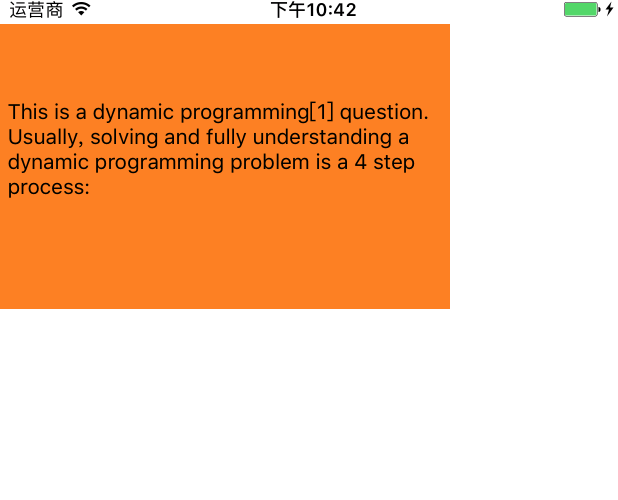
看个效果吧:
import UIKit

class ViewController: UIViewController {

    lazy var customLabel: LJLabel = {
        let label = LJLabel(frame:  CGRect(x: 0, y: 20, width: 300, height: 190),
                            insets: UIEdgeInsetsMake(50, 5, 0, 10))
        label.verticalTextAligment = .top
        label.backgroundColor = UIColor.orange
        label.numberOfLines = 0
        label.font = UIFont.systemFont(ofSize: 14)
        label.text = "This is a dynamic programming[1] question. Usually, solving and fully understanding a dynamic programming problem is a 4 step process:"
        return label
    }()

    override func viewDidLoad() {
        super.viewDidLoad()

        self.view.addSubview(customLabel)


    }
}
源码详见Github
最后
让我想想😂